
Four Qatar Airways flights, two satellite systems, 478 measurements, and no sleep across the Arctic.
Two sectors on Starlink, two on the system it replaces, and a university team measuring the same aircraft from the ground. Both surprises had nothing to do with the aircraft.
All times and dates in this article are UTC. That is why the Seattle departure I boarded on Thursday evening appears throughout as 21 August.
In June I booked Hong Kong to London Gatwick via Doha, specifically to measure Starlink. Family in the UK made it a convenient trip, but the reason for the routing was the data.
Qatar Airways had announced in October 2024 that its Boeing 777 fleet would carry Starlink. By the time I boarded, 150 of its widebodies were equipped, which the airline describes as the largest Starlink-equipped widebody fleet in the world. That is why I routed through Doha rather than flying direct: the first leg was a 777 and the second was a 787-9 I already knew wouldn't have it. The 777 was the flight I came for.
The aircraft had a geostationary system fitted. Pages loaded, slowly, and anything interactive was a struggle.
The plane was leased. Qatar Airways' announcement described the aircraft Qatar Airways owns and operates. Mine wasn't one of them.
I haven't published numbers from that flight, and you won't find them below. I rebuilt the measurement tool afterwards, and figures from the old version aren't comparable with anything else here. Every measurement in this article comes from the same rebuilt tool on a single trip in August. What the June flight gave me was the question.
I wrote it up. Before I published, I spoke to Qatar Airways' media team, who asked if they could help facilitate a flight that did have Starlink. I said yes, on the condition I would still publish the legacy numbers alongside the Starlink ones. They agreed without hesitation, and this article is built on the four sectors I measured as a result. What follows includes a two-hour stretch on one of those aircraft where the connection dropped to a fraction of its usual speed.
If you are here because you want to know whether to count on the WiFi, the short version is this. Check the specific flight rather than the airline's fleet announcement, because the two can disagree. Qatar Airways' own booking flow marks which flights carry Starlink, which is the closest thing to a direct answer any airline currently gives you, and StarlinkFlights.com will tell you for any airline. Where Starlink is fitted it is a different category of connection from what came before, roughly 145 Mbps against 22, and on Qatar Airways it is free for Privilege Club members where the older system is not.
That 22 is a decent showing, not a poor one. It is enough to work on. I have measured the same satellite operator on another airline running at a small fraction of it, on an earlier version of my tool that I am not quoting numbers from here, so treat Qatar Airways' older system as near the top of its class rather than as what satellite WiFi usually gives you.
And even where Starlink is fitted it is not uniform, for reasons that turned out to be the most interesting thing I found. The rest of this is the evidence.
Why this has started to matter
For years the honest answer to "will there be WiFi" was "sort of, and don't plan around it". You paid for a session, you got something that would move an email if you were patient, and you organised your work around not having it.
That assumption is changing, and it changes what a long-haul flight costs you. Fourteen hours is the better part of two working days. If the connection holds, you land having cleared your inbox, sent the file, joined the call, and the flight cost you the time it took. If it doesn't, you land with the backlog you took off with.
It matters unevenly, too. Answering email needs almost nothing. Sending a large document needs upload, which is where the older systems fall apart. A video call needs the connection to respond quickly rather than to be fast. Anyone editing footage between locations needs all three at once, and until recently could not have any of them.
I built StarlinkFlights.com because I wanted to know which of those I was getting and couldn't find out. What the site has seen since says I wasn't the only one asking, and the shape of it is more interesting than the volume.
The searches that convert best are the personal ones. Not "which airlines have Starlink" but "does my flight have Starlink", "will my flight have Starlink", "how do I check if my flight has Starlink". Roughly half to two thirds of the people who see those results click through, which is very high for a search result. They are not reading about satellite constellations. They are checking one flight, and they have already decided it matters.
The more telling pattern is which airlines get searched. Alongside the carriers that have it, a meaningful share of the searches are for airlines that don't: KLM, Etihad and Turkish Airlines among them, none with an equipped aircraft or even an announcement. There is nothing to find, and people look anyway. You don't run that search idly. You run it because you are about to book, and whether the flight has Starlink matters enough to check first.
I can't tell you whether any of them went on to book a different airline, and I wouldn't trust anyone who claimed to. What I can say is that the question is being asked, at volume, about carriers with no answer to give. For an airline weighing up whether connectivity justifies the retrofit, that seems worth knowing.
The fleet number describes aircraft, not the one you board
Qatar Airways' media team confirmed something that most airlines don't state publicly: the 150 figure covers Qatar Airways-owned aircraft only. Leased aircraft sit outside it.
That distinction decides what you get on the day.
Every large airline leases. A leased aircraft arrives carrying whatever connectivity its previous operator fitted, and changing that means spending money on an asset you do not own.
Qatar Airways has been unusually quick about its own fleet. It says it cut installation from two or three days per aircraft to 9.5 hours, timed to fit inside a twelve-hour overnight window so schedules were not disrupted. That is genuinely fast. But it is a programme for the aircraft the airline owns and operates. A frame you hold on lease for a defined term and then hand back is a different calculation entirely.
So when an airline says 150 aircraft are equipped, it is describing its own configuration programme. It is not telling you which aircraft operates your flight on Tuesday. My June aircraft was a leased 777 flying under a Qatar Airways code, and whoever fitted its connectivity, it wasn't SpaceX.
Both of the geostationary aircraft I flew in August tell the same story. A7-BOH and A7-BOC are Boeing 777-300ERs that used to fly for Cathay Pacific as B-KPT and B-KPP. Cathay returned them to their lessor, BOC Aviation, which leased them on to Qatar Airways, A7-BOC in March 2022 and A7-BOH in June 2023.
You can see it from your seat. Both still have Cathay's cabin fitted. Green seats, and Cathay's name on the touchscreen at my seat. I asked a member of crew in each direction whether it was an ex-Cathay aircraft, and they confirmed it.
A7-BOC has been flying for Qatar Airways for three and a half years and still has someone else's interior and no Starlink. That isn't neglect, and by Qatar Airways' own account it isn't a scheduling problem either, since they fit their own aircraft overnight. It is that these are not their aircraft. You don't refit a cabin or bolt a satellite antenna onto a frame you are leasing for a fixed term and handing back, and the lessor has no reason to pay for it either. So the aircraft flies as it is.
This is not a Qatar Airways problem. It is how airline fleets work, and every carrier publishing a Starlink number has the same gap between the announcement and the aircraft at the gate. Qatar Airways is unusual only in having told me the number's scope when I asked.
I did ask how many leased aircraft fly under the Qatar Airways code. That isn't a figure they publish, and they made a fair point in return: when you book on Qatar Airways' own website, individual flights carry a Starlink marker.
That is worth crediting. Qatar Airways is one of the few airlines that tells you flight by flight, at the point of booking, rather than leaving you to work it out from a fleet announcement. It comes with the caveat every airline has: if the aircraft is swapped late for one without it, the marker was right when you booked and wrong when you boarded.
You can also check a flight number on StarlinkFlights.com, which scores it from tail numbers and aircraft assignment data rather than from fleet-level claims.
What I flew, and what I measured
Four sectors in August 2026, all on the same laptop running the same tool:
| Flight | Route | Aircraft | Connection |
|---|---|---|---|
| QR815 | Hong Kong to Doha, 16 Aug | A7-BOH, ex-Cathay | Intelsat, geostationary |
| QR719 | Doha to Seattle, 17 Aug | A7-BEW | Starlink |
| QR720 | Seattle to Doha, 21 Aug | A7-BAC | Starlink |
| QR818 | Doha to Hong Kong, 21 Aug | A7-BOC, ex-Cathay | Intelsat, geostationary |
Doha to Seattle has an interesting geographic profile. It crosses Europe, then the North Atlantic, then the Arctic.
As an aircraft moves between regions, Starlink reassigns it to a different point of presence, the facility where its traffic leaves the satellite network and joins the internet. QR719 was reassigned eleven times. At the furthest point it was 3,296 km from the facility handling its traffic, over Greenland at 73.1°N.
One note on how it was collected. The test fires every five minutes, which across a fourteen-and-a-half-hour sector is around 170 runs, and a session that stalls at three in the morning is not discovered until breakfast. So I stayed awake for both Arctic crossings and planned sleep around the Hong Kong legs and the Doha layover instead. The data is better for it. I was not.
I collaborated with Professor Jianping Pan and Jinwei Zhao at the University of Victoria, who supplied the outside-in measurements for this piece. Their study tracks Starlink-equipped aircraft from the ground without boarding them, pinging each aircraft's own router from servers placed near every Starlink point of presence. When I told them which flights I was on, they collected data for both Starlink sectors and shared it with me. I gave them my cabin captures in return.
That turned out to be the most valuable thing in the whole exercise, for reasons I did not anticipate.
Grouped by the network the aircraft was actually using, identified from the autonomous system number rather than from the timetable:
- Starlink: 333 tests, median 144.9 Mbps at 56 ms
- Intelsat: 83 tests, median 22.4 Mbps at 897 ms
- Nelco: 62 tests, median 0.7 Mbps at 3,316 ms
Nelco needs explaining, and it is the first surprise.
Over India, the legacy connection collapses by twenty times
Both Hong Kong sectors cross Indian airspace, and on both of them the connection changes hands mid-flight.
For most of the route the aircraft runs on Intelsat, at a median of 22.3 Mbps across the tests that could be matched to a position, and 22.4 Mbps across all of them. Over India the autonomous system switches to Nelco Limited and the median falls to 0.7 Mbps, with latency around 3,300 ms.
Plotting every test against where the aircraft was puts the change between 67°E and 72°E on both flights, reverting between 94°E and 96°E. India spans roughly 68°E to 97°E. Two different aircraft, five days apart, flying opposite directions, and the handover tracks the border on both.
Nelco is a Tata company and the first Indian firm to hold an In-Flight and Maritime Communications licence, which India introduced in December 2018. Intelsat announced an agreement with Nelco in 2022 to deliver in-flight connectivity over Indian airspace under that licence.
So the switch isn't a fault. Intelsat has an Indian licensed partner, and traffic routes through it while you're in Indian airspace.
Starlink has no Indian licence yet, and the Victoria research team found that Starlink aircraft become unreachable over India and Pakistan, with the gaps matching the time each aircraft spends in that airspace.
One border, two technologies, the same regulatory cause, opposite outcomes. The geostationary system keeps working at a fifth of its usual speed. Starlink stops entirely.
Outside Indian airspace the connection runs at a median of 22.3 Mbps. Inside it, 0.7 Mbps. The handover to Nelco happened between 67°E and 72°E on both flights and reverted between 94°E and 96°E, matching the border on two different aircraft flying in opposite directions five days apart.
The route, and how far it ran from its network
QR719 PoP assignments, in order
- Doha27.2 ms
- Sofia29.2 ms
- Frankfurt38.1 ms
- Sofia19.1 ms
- Warsaw19.6 ms
- Frankfurt30.8 ms
- London36 ms
- Montreal39.7 ms
- Minneapolis33.8 ms
- Calgary22.3 ms
- Seattle22.2 ms
QR720 PoP assignments, in order
- Seattle23 ms
- Calgary20.7 ms
- Minneapolis27.5 ms
- Montreal38.2 ms
- London30.4 ms
- Frankfurt21.7 ms
- Warsaw19.8 ms
- Sofia197 ms
- Doha24.9 ms
Viewed from above the North Pole, cropped to the band the flights occupy. Starlink reassigns an aircraft to a different point of presence as it crosses regions: numbered circles sit on the track where each handover happened, and the hollow rings show where that PoP facility actually is on the ground, sometimes thousands of kilometres to the south. Distance is to that facility and is a proxy only; it does not tell you which ground station carried the traffic, which network measurement alone cannot reveal. Median round-trip time stayed between 19 and 40 ms on every segment except Sofia on the return, where the ground measurement is still being checked; from inside the cabin that stretch was the fastest of the whole flight, at a median of 190.9 Mbps.
The points of presence were Doha, Sofia, Frankfurt, Warsaw, London, Montreal, Minneapolis, Calgary and Seattle. The outbound took an odd path through them. QR719 handed over to Sofia, then Frankfurt, then back to Sofia, then Warsaw, then Frankfurt again, before crossing the Atlantic. Eleven handovers where the return took nine. Same route, four days apart, different network path. The Victoria team calls this dynamic point-of-presence reassignment, and it is the behaviour they find most interesting in the whole dataset.
Over Greenland, 3,296 km from its assigned point of presence, the round trip was 39.7 ms.
One caveat on that distance. It measures how far the aircraft was from the facility its traffic exited through, not from the ground station the satellites were actually using. Which ground station carried the traffic is not something network measurement can reveal, so treat the distance as a proxy for how far the traffic had to travel rather than a measurement of the path.
That distance matters. A satellite can only bounce your traffic straight down to a ground station it can see, which limits the useful separation to roughly a thousand kilometres. Beyond that, Starlink routes between satellites over laser links before landing the traffic. The Victoria research paper describes long-haul routes over ocean and remote regions relying on those links because the ground infrastructure isn't there.
I can't prove from my data which satellites or ground stations carried my traffic. What I can say is that the aircraft was three thousand kilometres from the facility its traffic exited through, in the high Arctic, and the latency barely moved.
This is one corridor. A transpacific route, a South Atlantic crossing, an Oceanic route, or anything over central Africa would cross a completely different footprint of ground stations and points of presence, and I would expect the numbers to look different. Nobody has published that comparison. I'd like to fly those routes with the same equipment to find out.
The part I got wrong three times
Here is the finding I did not expect, and did not believe at first.
From 05:50 to 08:00 the two measurements disagree by a factor of thirty. Ground pings from twelve vantage points reached the aircraft's router at a median of 31 ms, worst case 143 ms across 8,922 samples. A laptop on the cabin WiFi recorded up to 3,479 ms. A second laptop running the same tests through a VPN tunnel was unaffected, which rules out the cabin WiFi, the aircraft and the satellite link, and leaves the path beyond them.
On QR720, between 05:50 and 08:00, my laptop recorded latency of up to 3,479 ms and download of 0.6 Mbps. Twenty-seven consecutive tests. Pages still loaded on my phone, slowly. Anything that needed a quick round trip did not work.
At the same moment, from the ground, the Victoria team's London server was reaching my aircraft's router at a median of 31 ms. Across 8,922 pings in that window, the worst single measurement was 143 ms.
Both measurements are correct. They measure different things.
My first assumption was congestion in the cabin, and it was wrong. I had a second laptop running the same tests through a VPN tunnel, and it held 70 to 195 Mbps throughout that window. Same WiFi, same aircraft, same everything except the route its traffic took out.
The two machines ran the same operating system version on clean accounts, both benchmarked before the trip, and their test cycles were deliberately offset so they never ran at the same moment. Across all 170 tests the closest they came was 60 seconds apart, which keeps each measurement clean and means neither laptop can tell you what the other was experiencing at any given second.
So not the satellites, not the cabin, and not the laptop. The difference was where the traffic ended up.
A word on what that means, because it isn't obvious. When you load almost anything on the web you are not reaching one distant server. You are reaching the nearest copy, held by a content delivery network with data centres all over the world, and which copy you get is decided automatically by where your traffic leaves its provider's network. On the ground that is usually your own city. On an aircraft it follows the aircraft. Across QR720 my traffic was served from Seattle, then Chicago, then Toronto, then London, then Frankfurt, Warsaw, Sofia and Doha, tracking the flight across the world.
At 05:50 that answer changed to London. At 08:00 it changed to Frankfurt and the connection recovered. Everything before and after ran at 100 to 190 Mbps.
Which also sets the limits of what went wrong, and this matters. The satellite link was healthy throughout, and traffic that left by a different route was unaffected, which is why the second laptop kept working normally. What suffered was everything taking the ordinary path out to the nearest content network. Since a large share of the web sits behind Cloudflare or something like it, that is most of what anyone actually does on a plane, and it is why pages on my phone were slow during the same window. This was not a broken speed test. It was a broken two hours.
Download inside the window sits at 6.4 Mbps against 100 to 190 Mbps either side of it. Upload falls from 14 Mbps to under 1.
It happened on the outbound as well, gentler. During QR719's London window, cabin latency stepped from around 45 ms to around 163 ms and stayed there for 45 minutes. Throughput was fine. From the ground the same aircraft measured 34 to 39 ms.
Two flights, opposite directions, four days apart, the same signature at different severity, and both invisible to network-level measurement.
I can't tell you the cause with certainty. It could sit in Starlink's egress, in the peering between Starlink and Cloudflare, or in the edge itself, and two flights is two flights.
But it isn't unexplored territory. The Victoria lab has published work on precisely this class of failure. One study decomposes web performance across the point-of-presence, DNS and CDN layers and finds that remote PoPs push traffic towards distant resolvers, which in turn causes content delivery networks to mis-locate the user and drives latency past 200 ms. Another, based on more than 24 hours of in-flight experiments with Google Meet, Zoom and Teams, finds that PoP handovers in the air shift where traffic leaves the network mid-session, and that this can leave applications talking to the wrong service point, inflating round-trip time.
That is the shape of what I measured. My traffic was sent to whichever Cloudflare edge sat closest to the network the aircraft was using, the aircraft moved, the edge changed, and the result was two hours of inflated latency that no network-layer measurement of the aircraft could see. I'm not claiming their findings explain my flight; nobody has measured this specific path. But it means the effect is a known property of putting a moving aircraft on a network designed around users who stay still, rather than a curiosity from one evening over the Atlantic.
What I can show is the effect, from four independent measurements, and the fact that every network-layer check said the connection was healthy while it was crawling in my seat.
If you take one thing from this article, take that. Whether the aircraft has Starlink is necessary and not sufficient. What reaches your seat depends on a chain of infrastructure that continues well past the satellite, and none of it is visible to you at 38,000 feet.
Against the legacy system, it is a different category
The divergence is the interesting finding. It is not the common experience.
For the vast majority of both Starlink flights, the connection did what Qatar Airways says it does. Median 144.9 Mbps at 56 ms, against 22.4 Mbps at 897 ms on the geostationary aircraft that carried me into Doha four hours earlier the same morning.
| Activity | Starlink | Intelsat | Nelco |
|---|---|---|---|
| Video call, 1080p Zoom publishes 3.0 Mbps down and 3.8 Mbps up | Works 56 ms, 145 Mbps | No 897 ms, 22.4 Mbps | No 3316 ms, 0.7 Mbps |
| Web page loads promptly latency dominates, throughput barely matters | Works 56 ms, 145 Mbps | Too slow to respond 897 ms round trip | No 3316 ms, 0.7 Mbps |
| Send a large attachment upload bound, and tolerant of delay | Works 56 ms, 145 Mbps | Not enough capacity 0.6 Mbps up | Not enough capacity 0.2 Mbps up |
| Stream HD video buffers absorb latency, so throughput is the constraint | Works 56 ms, 145 Mbps | Works 897 ms, 22 Mbps | Not enough capacity 0.7 Mbps down |
The gap changes what you can do rather than how long you wait. At 897 ms a video call will often connect and then lag badly enough that people talk over each other, and that is the geostationary system working normally rather than a bad moment. At 56 ms it just works.
Two things are worth saying in the older system's favour. 22.4 Mbps is genuinely usable: email, messaging, documents and ordinary browsing all work. And that figure is a good one by satellite standards. The same operator, Intelsat, has given me a fraction of it on another airline.
It also explains a rule most travellers have run into. Airlines commonly bar video streaming on satellite connections, and it isn't meanness. That 22 Mbps is not yours, it is the aircraft's, shared by everyone aboard who has bought a session. A handful of people streaming would consume it, so the terms rule it out rather than letting the connection collapse for everybody.
Which leads to a caveat on my own number. Both geostationary sectors were overnight departures, QR815 leaving Hong Kong at 01:41 local and QR818 leaving Doha at 02:16. The cabins were full, but at those hours most people are asleep rather than online. So 22.4 Mbps is a lightly loaded sample, and a daytime flight on the same aircraft would probably read lower.
The comparison is skewed the other way too, and it is worth saying which way. Both Seattle sectors were busy, with people awake and using the connection throughout. So the older system was measured at its most favourable and Starlink at something closer to normal load. Whatever the true gap is, it is wider than the numbers here suggest, not narrower.
And the load point cuts the other way once you look at the Starlink numbers properly. Those two Seattle sectors were full, with people awake and online for most of the flight, and the median still came out at 144.9 Mbps. One test in ten cleared 217.7 Mbps, and the best single reading was 261.9. That is a busy cabin, not a quiet one.
The difference isn't only speed. On the geostationary aircraft, WiFi cost me $10 and covered a single device, so moving from laptop to phone meant handing the session over. On the Starlink aircraft it was free: you sign in with a Qatar Privilege Club membership, which is free to join, and it covers up to ten devices at once.
So the upgrade is about six and a half times the download, sixteen times the upload, a sixteenth of the latency, no charge, and the whole family connected rather than one device at a time.
That six and a half is a floor, not an average, and it is worth understanding what it is a ratio of. It compares Starlink under load against satellite WiFi close to its best: a capable system, lightly loaded, in the middle of the night. Almost every real geostationary flight you take will be worse than the one I measured, so the gap you actually experience will be wider, probably much wider.
I am not putting a number on how much wider, because the measurements I have of other airlines on the same satellite operator predate my current tool and I said I wouldn't quote those. What I can tell you is the shape of them. On throughput they sit much closer to the Indian-airspace figures above than to Qatar Airways' 22.3 Mbps, which is the difference between a connection you can work on and one you can barely use. Latency was less consistent, one flight around a second and the other several. That is two flights on one airline rather than a verdict on it, but it is why I describe Qatar Airways' older system as near the top of its class rather than as what satellite WiFi normally gives you.
One practical measure of what 145 Mbps buys you: on both Starlink sectors I streamed Netflix, full episodes and films, without buffering or a drop in quality. That is at 38,000 feet, in a full cabin, with a test running quietly in the background every five minutes.
I owe you one caveat on that. I wasn't streaming during the two-hour degradation described further down, so I can't tell you how it would have held up. My guess is better than you would expect. Streaming is buffered, so it tolerates latency in a way a video call cannot, and it needs throughput more than responsiveness. At the 6.4 Mbps the connection was managing in that window it would probably have kept playing, possibly at reduced quality, while everything interactive fell over. Which is its own small lesson about what a speed test does and does not tell you.
The latency ratio is the sturdier one. Sixteen times is closer to physics than to load. A geostationary satellite sits roughly 36,000 km above the equator, and the round trip up and back does not get shorter because the cabin is asleep. Starlink's satellites orbit at around 550 km. That difference is fixed, and it is the reason a video call works on one and struggles on the other regardless of how many people are aboard.
How the speed test works
The tool is built by StarlinkFlights, so you should know how it measures before you trust the numbers.
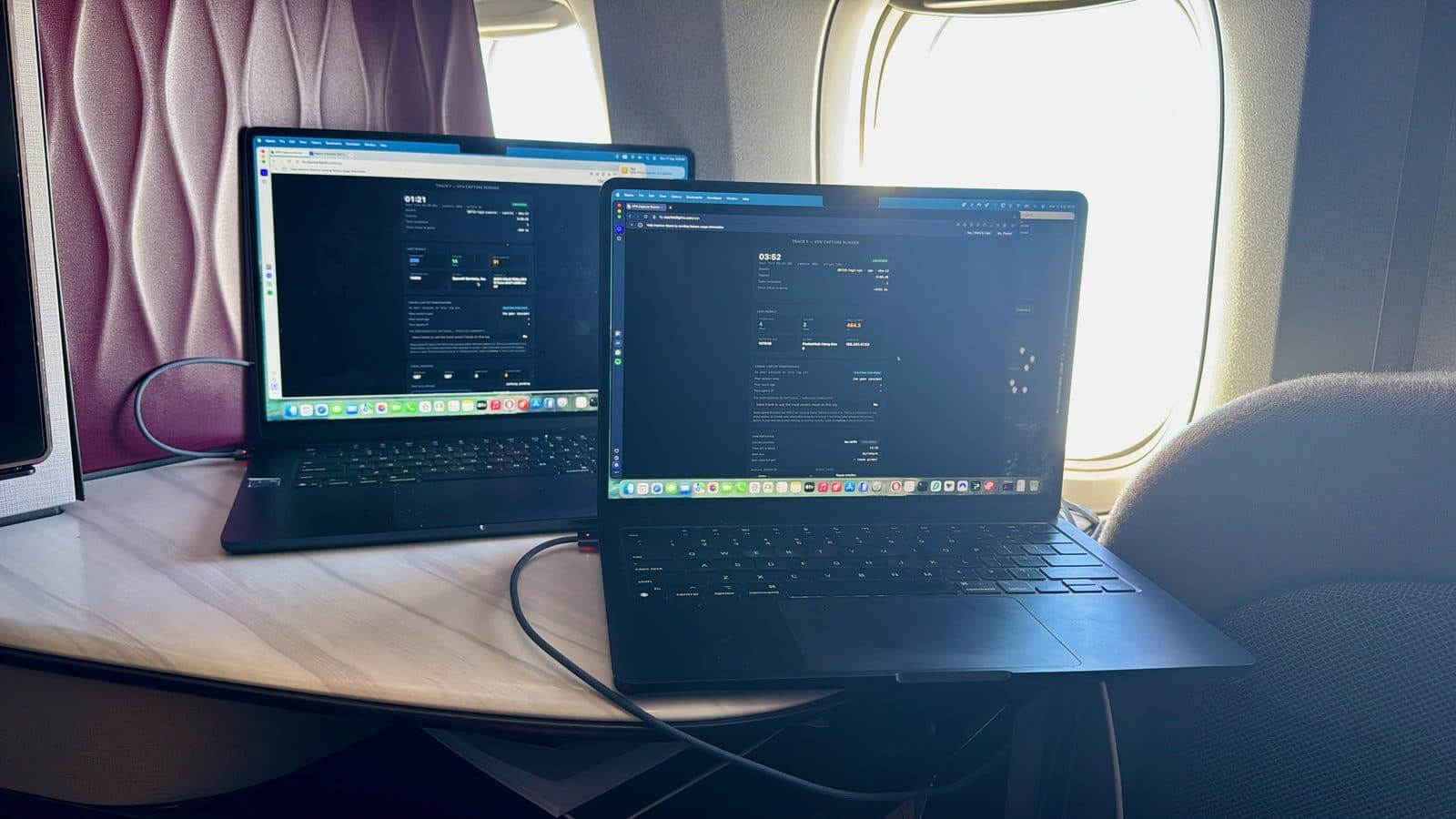
Each test runs about 30 seconds in five phases: a connection probe, idle latency, ten seconds of download, a one-second settle, ten seconds of upload, and a short single-stream diagnostic. The phases are fixed wall-clock durations. A fast link doesn't finish sooner; it just moves more bytes.
Download. The test opens four parallel streams at once, one to each of four separate hostnames. The sharding matters: browsers multiplex requests to a single origin over one connection with one congestion controller, so eight "streams" to one host are eight logical streams sharing a single window. On a link with 200 Mbps and 60 ms of latency, one window takes seconds to grow and halves on any loss. Four hostnames give four independent windows.
Every second the test compares throughput against the previous second. If it grew by more than 5% and fewer than eight streams are running, it adds two more. Streams never come back down.
The server sends incompressible random bytes, generated fresh, so Cloudflare's compression can't inflate the result. The stream has no length; the client stops it at ten seconds.
The first 2.5 seconds are thrown away. TCP starts slow and climbs, and on a high latency link that climb takes a few seconds, so including it would understate the connection. The headline figure is the mean across the remaining 7.5 seconds. The peak second is recorded separately and never used as the headline.
One caveat I'll state rather than bury: some browsers still collapse those four hostnames onto one connection if they share a certificate. The test records the protocol and time-to-first-byte per stream so it can be checked afterwards, but the sharding forces the request pattern rather than guaranteeing the outcome.
Upload. This is where the StarlinkFlights number sits below other tools, and the reason is the method.
The test keeps three uploads in flight at all times, each a 12 MB block of random data, cycling across the four hostnames. The moment one finishes the next starts, so the connection never sits idle waiting for a round trip. It uses XMLHttpRequest rather than fetch, because fetch gives no upload progress events on any browser and iOS Safari won't stream a request body at all. Progress events are the measurement. The server counts bytes as a cross-check, and nothing more.
The first upload is excluded, then the same 2.5-second discard applies, and the headline is the mean of what's left.
Why it reads lower than Ookla (Speedtest.net). I've compared the two, and download lands within a few Mbps while upload comes out at roughly half. Both differences follow from the methods.
A study at the University of Chicago put both Ookla and a fixed-method tool through controlled lab conditions and inspected the packet traces. They found Ookla adapts the number of TCP connections and the length of the test in response to throughput as the test runs, starting to open extra connections at 20 ms of round trip and going up to eight above 100 ms. They also observed it discarding low-throughput samples, so the slow opening seconds are dropped from the final figure rather than averaged in.
Their comparison was against NDT7, not against this test, but NDT7 works the way this one does: one fixed duration, a fixed method, every sample counted. Between those two approaches they measured a gap of at least 12% and as much as 56%, widening as latency rises. An aircraft is the high-latency end of that range.
The StarlinkFlights upload holds three connections regardless, runs a fixed ten seconds regardless, and keeps every sample after the ramp, including the bad ones. On a link at 60 ms, Ookla would be opening more connections than that and dropping the slowest readings.
There's also a difference that isn't methodology, and it matters more in the air than on the ground. Ookla picks its server by geolocating your IP address and choosing the closest one to where it thinks you are. If that geolocation is wrong, the server it picks is a poor one. On geostationary satellite networks it is frequently wrong, and it is sometimes wrong on Starlink too when the underlying data is out of date.
Cloudflare doesn't guess. Its edges are announced by anycast, so traffic arrives at whichever edge is closest in network terms to where it left the satellite network. In the air, where there is no local server and your apparent location may be thousands of kilometres from where you are, that difference alone can move a throughput result substantially.
The round trip to a Cloudflare edge is also the round trip your actual traffic pays, because that is where a large share of the internet you use is served from.
The two tools answer different questions. Ookla's is closer to what the link can peak at under favourable conditions. This one is closer to what it sustains, bad seconds included. If you're deciding whether you can work on a flight, the second is more useful.
Latency, and the number nobody publishes. Idle latency is eight pings, 50 ms apart, discarding the fastest and slowest and taking the median of the rest.
Loaded latency is the interesting one. During both the download and upload phases the test fires a ping every 500 ms, alongside the traffic. The gap between loaded and idle is bufferbloat, and it decides whether a call holds up when someone else on the aircraft starts a download.
On QR719 the connection idled at 50 ms and reached 2,360 ms while my test pulled at full speed. On the geostationary aircraft it idled at 897 ms and passed five seconds. That is not the same kind of problem: one is a queue you can get out of by stopping, the other is the speed of light to a satellite 36,000 km up and back.
Worth being precise about what saturated means. It is my own device pulling as hard as it can, and the figure is the latency my device saw while doing it. That is a deliberate worst case, and I built the test that way because a number taken on an idle link tells you nothing about what happens when the link is busy.
What I can't tell you is where the queue formed. It could be the cabin WiFi radio, the aircraft's router, or the satellite modem, and each would behave differently for everyone else on board. If the aircraft shapes traffic per device, my test filled my own queue and left the cabin alone. If the queue is shared, a small flow crossing it would inherit the same delay. My two laptops never ran a test at the same moment, by design, so nothing here settles it.
A video call uses a few megabits and never pushes a link the way this test does, so don't read the loaded figures as what your call experiences. Read them as the difference between a connection measured at rest and the same connection under strain, which is a gap most speed tests never show you.
What I would tell you before your flight
Check the flight, not the fleet. A press release counts the aircraft an airline owns and configures. Your booking is for a flight, and the aircraft assigned to it might belong to someone else entirely, as mine did. Use the booking-flow marker where an airline offers one, and check the flight number if you want a second opinion.
If it does have Starlink, expect it to be good and don't expect it to be uniform. I measured two hours at a fraction of normal speed on a healthy aircraft with a healthy satellite link, and nothing on board would have told me why.
And if you fly over India on a legacy system, that isn't the airline throttling you.
One ask. If you're on a Starlink flight, run the speed test at StarlinkFlights.com/report. It takes half a minute, the results are public, and every submission makes the estimate for that route better for whoever checks it next. Two flights told me what happens on one corridor. A few thousand would tell all of us what happens across a network.
Data and credits
Produced in collaboration with Professor Jianping Pan and Jinwei Zhao of the University of Victoria, who supplied the outside-in measurements. Their Starlink research, including the papers referenced above and the aviation measurement work this article draws on, is at onlineacademiccommunity.uvic.ca/starlink.
Flight positions from Flightradar24 ADS-B tracks. Aircraft histories from public fleet records at Airfleets and Planespotters. The installation time and fleet figures are from Qatar Airways' own press releases.
The Ookla findings come from a 2023 comparative study of Ookla Speedtest and NDT7 by MacMillan and colleagues at the University of Chicago. Its authors describe Ookla's sample discarding as observed from packet traces rather than documented, since the current sampling method is not published.
Cabin measurements from the StarlinkFlights.com tool, 478 completed tests across four sectors between 16 and 22 August 2026. Failed tests and timeout values excluded; every completed measurement appears in the charts.
Qatar Airways arranged the two measurement flights this article is built on, QR719 and QR720, and reviewed a draft for factual accuracy. They asked for no changes to the findings, the measurements or the conclusions. Editorial content and editorial control rest with StarlinkFlights.com.
Track Starlink availability on your next flight
Search by flight number, route, or airline to see the probability of Starlink WiFi on your specific flight.
Check your flight →